
In order to see custom materials in OKO UEEE, you need to change a local project setting to assign the parent materials used to create custom materials.
This needs to be set on each individual Unreal Project you use with OKO.
📘 Instructions
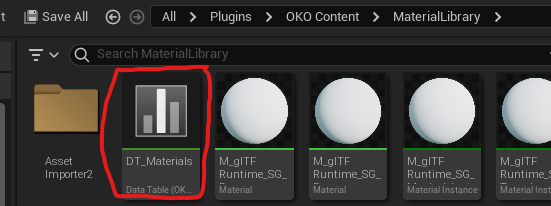
Inside the Unreal Editor under /All/Plugins/OKO/MaterialLibrary, locate the file called DT_Materials.
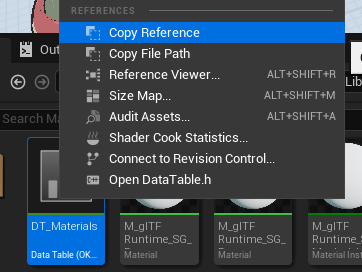
Right-click on it and select Copy Reference.
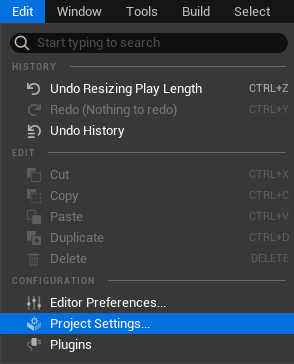
Then, go to the project settings under Edit->Project Settings.
Then search for parentmaterial. You should see an OKO setting for OKOParent Materials Table with its value as empty.
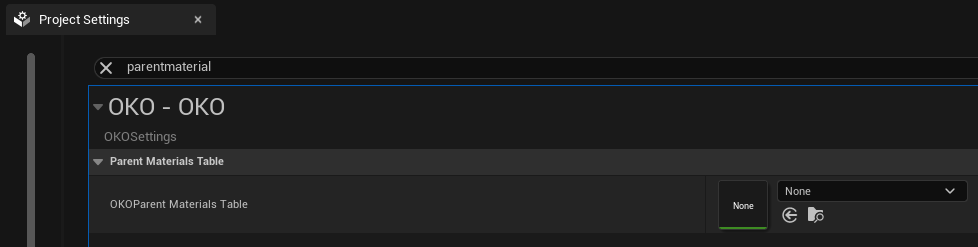
Right-click on the empty value and select paste.
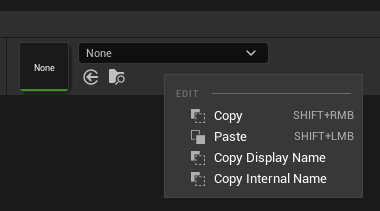
This is what you should see.
