Answers to the most common questions we’re asked about OKO.

General information
What can I do with OKO?
On OKO Web, you can:
-
Upload assets to create a virtual space.
-
Create and interact with friends through avatars, text, voice, and video chat.
-
Build interactivity through simple JavaScript scripting.
-
Create geolocated spaces.
-
Promote and sell goods and services via Shopify e-commerce integration.
-
Add assets via a linked Sketchfab account.
On the OKO app, you can:
-
Make a digital “mirror space” of your physical environment by creating and importing scans of real-world places and objects into spaces, or taking spatial photos.
-
Add and arrange assets in your space.
-
Experience a space with others through avatars and voice chat.
-
View a space in AR with the click of a button.
-
Scan your room, place digital content in it, and view it in AR.
-
Use fiducial markers as an image anchor to place digital objects in the real world.
For those with more technical experience, there are additional tools that can be utilized:
-
UEEE (Unreal Engine Editor Extensions): for users seeking to participate in creating across reality while continuing to enjoy all the benefits of working in a familiar development environment – Unreal. The Unreal team also helps bridge the gap between DCCs and our platform, as the primary hub for mass importing content.
-
Unreal OKO Blueprints: for users seeking to build their own applications powered by The Connected Spaces Platform.
How does OKO relate to the Connected Spaces Platform?
We’ve designed a technical framework to help fast-track the path to the spatial internet. It’s comprised of three separate components:
-
Apps, components, and plugins layer (or an engine integration layer), including our Unreal, Unity, and web clients.
-
Connected Spaces Platform layer, or our interoperability bridge layer.
-
Cloud-hosted services layer: we've spent years optimizing our services to be as scalable and efficient as possible, but you might have your own already – either works.
Our OKO applications fall under the first category. They are a set of apps and plugins for other apps that use the Connected Spaces Platform to communicate interoperably, regardless of the engines and language we use to build them.
The Connected Spaces Platform is an interoperable communication library for the spatial internet.
It’s open source to provide developers across a range of languages and platforms with a means to build interoperable, cross-reality, multi-user applications.
To provide robust, persistent, real-time connectivity, CSP must be connected to a set of Cloud Services – the third component. Whether built and hosted by you or accessed through Magnopus, there are costs associated with consuming cloud services, as with any utility like electricity or water.
The repositories include all the requirements for an organization to connect its applications and services to interface with CSP. Or, for simplicity, we can provide access to existing Magnopus Cloud Services, ready-made to support CSP with optimal performance.
I have more questions about the Connected Spaces Platform.
Head to the Connected Spaces FAQs page here.
How do I get started?
Getting started with OKO is easy – just choose the guide for your platform:
🌐 Web: Getting Started on OKO Web.
🎮 Unreal Engine: UE Plugin Guide.
📱 iOS App: Getting Started on iOS.
We’re super excited for you to try it out! Let us know what you think – your feedback helps us make OKO even better.
Technical specifications
What file formats can I import into OKO?
3D: GLB, USDZ
Videos: MP4 (on web)
Audio: MP3
Images: PNG, JPEG
Web URL Links (on web)
Does OKO support Open Universal Scene Description (OpenUSD)?
OKO currently supports USDZ type asset formats. We’re excited about integrating more deeply with OpenUSD when there is mature runtime support for Unreal/Unity/Web. Once that’s at a similar level to what the industry has now with GLTF, we’re in.
What are the performance guidelines for an OKO space?
Try to keep assets in your space under 250 MB for optimal performance. Here are some guidelines for 3D assets:
|
Per Model |
Recommended |
|
Triangles |
16k |
|
Materials |
6 |
|
Texture recommended resolution |
512 x 512 |
|
Texture max size |
1k x 1k |
|
Texture format |
PNG (zip compressed are OK!) |
|
Storage size |
10MB |
|
Pivot |
At the bottom! |
|
Coordinate System |
|
|
Extensions |
Base GLTF 2 0 specifications |
|
Format |
GLB |
On which devices can I run OKO?
The OKO App
The OKO app works on any Pro iPhone or iPad, but is optimized for iOS devices with iOS version 16+ and A12+ Bionic chip, including iPad and iPhone models from iPhone XS and newer.
-
iPhone XS, XS Max, XR, 11, 11 Pro, 11 Pro Max, SE (2nd & 3rd Generation), 12 mini, 12, 12 Pro, 12 Pro Max, 13, 13 Pro, 13 Pro Max, 13 mini, 14, 14 Plus, 14 Pro, 14 Pro Max, 15, 15 Plus, 15 Pro, 15 Pro Max
-
iPad Pro (11-inch 2nd Generation and higher ), iPad Pro (12 9-inch 3rd Generation and higher), iPad Air (3rd Generation and higher), iPad (8th Generation), iPad mini (5th Generation and higher)
OKO Web Desktop
-
Windows: Best support on Chrome.
-
Mac: Best support on Chrome and Safari.
OKO Web Mobile
-
Android: Chrome (this gives you access to vCam and LaunchAR mode).
-
iOS: Chrome and Safari (no access to vCam and LaunchAR mode, only single asset AR mode).
While OKO Web on mobile is supported, we recommend downloading the OKO app for an enhanced experience.
Licensing and permissions
If I download assets from somewhere online, which licenses can I use?
It depends; CC BY and CC0 should be OK! If you’re making money on your experience, you may want to avoid assets with a non-commercial (NC) license. On Sketchfab, you can filter searches by license type.
Do I own the content I create?
Yes! We believe creators should own the content they create, so we’re building OKO this way.
Our lawyers would like to say, “Unless otherwise agreed to, we do not claim any ownership rights in or to your User Content. If you use Content covered by intellectual property rights that we have made available through our Services (for example, images, designs, videos, or sounds we provide that you add to content you create or share on the Platform), we retain all rights to that Content (but not yours).”
Learn more about the user-generated content in section 9 of our End User License Agreement.
Can I export my content?
Any content you upload to your space, or any content you generate on the platform, can be downloaded at any later time.
Where can I find OKO’s End User License Agreement and Privacy Policy?
Privacy and security
Can I invite users to my space?
Yes! You can invite users to collaborate within the space or to simply view the space.
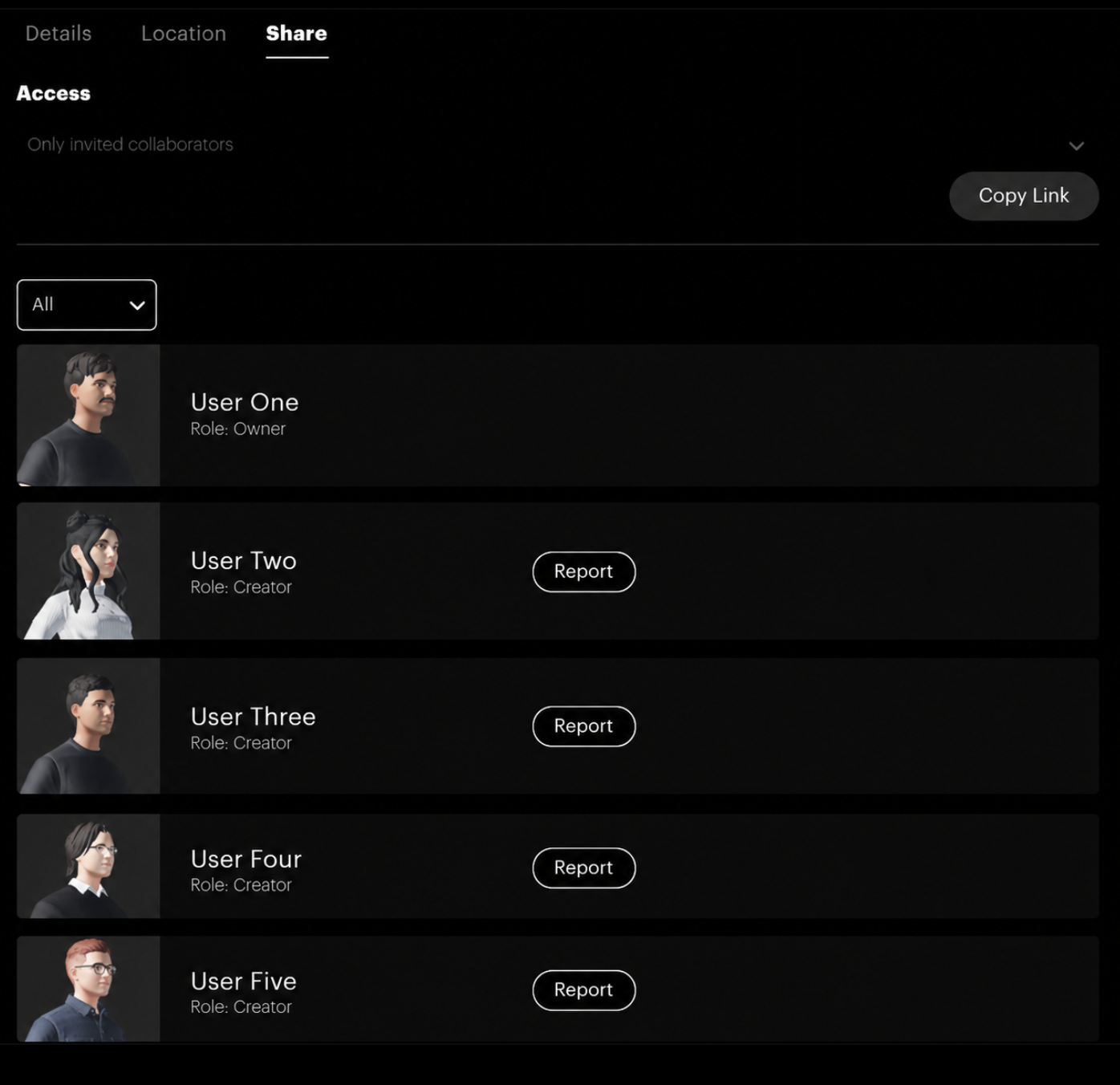
Can I block or mute users and spaces?
On OKO Web, you can report users directly from the People List within a space. You can also invite other users to a space by sharing it directly with them, or simply send them a guest link for instant access – no sign-up required.
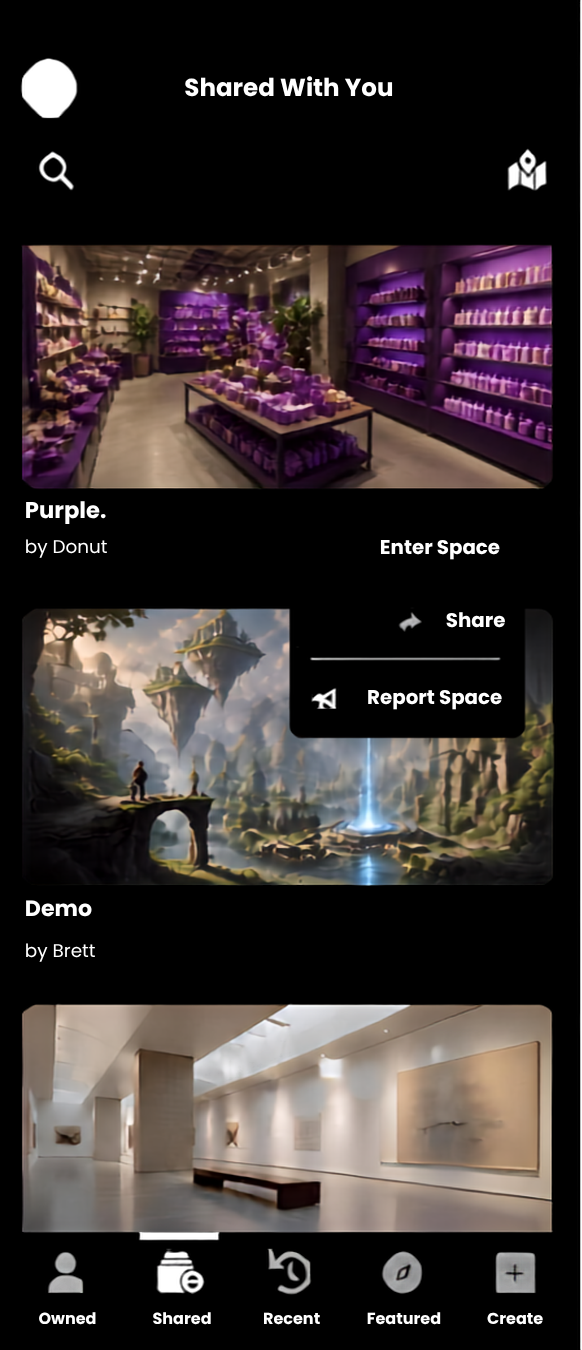
On OKO mobile, you can report a space by clicking on it in the Spaces List:
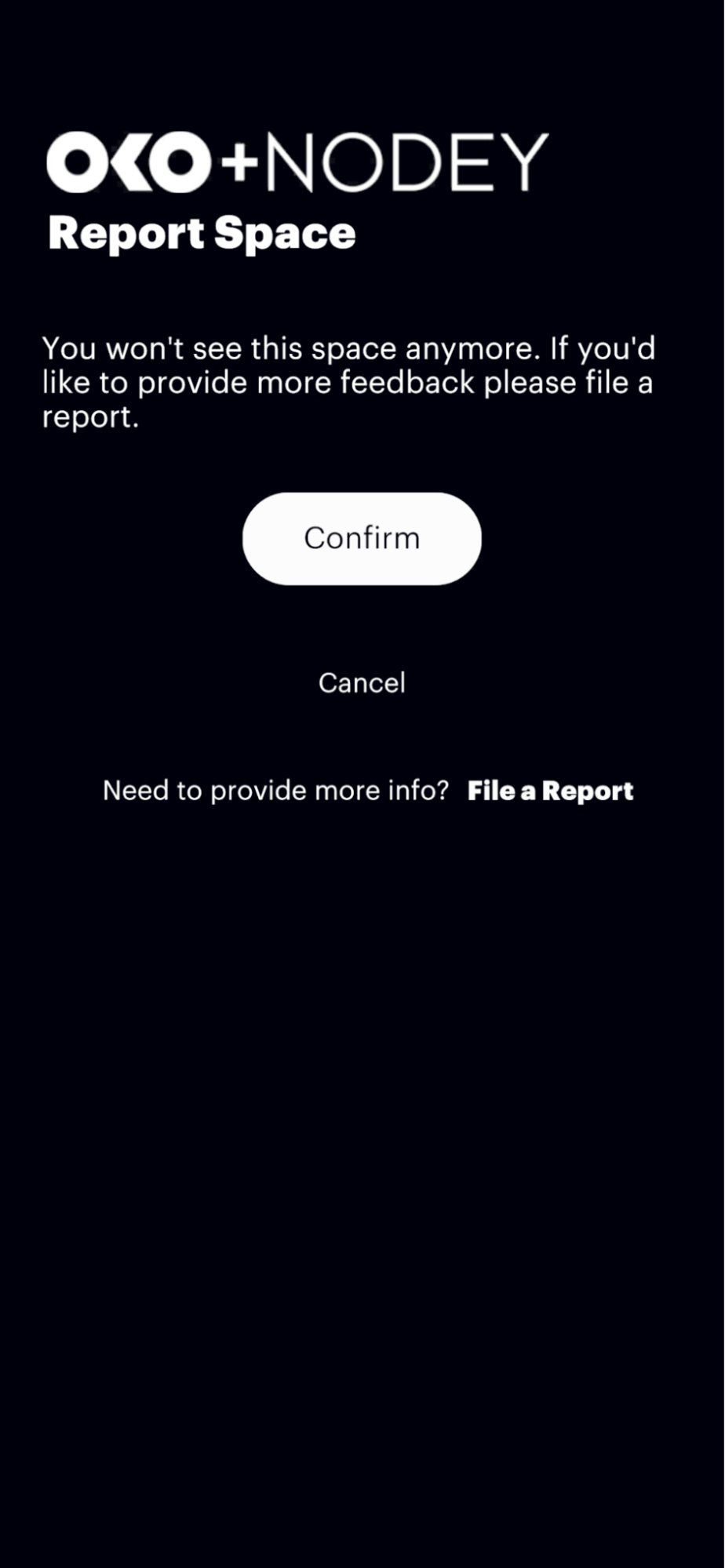
In the OKO app, you can also report a user in a space you're in by clicking the People Menu. If you own that space, you can also ban that user from this menu:
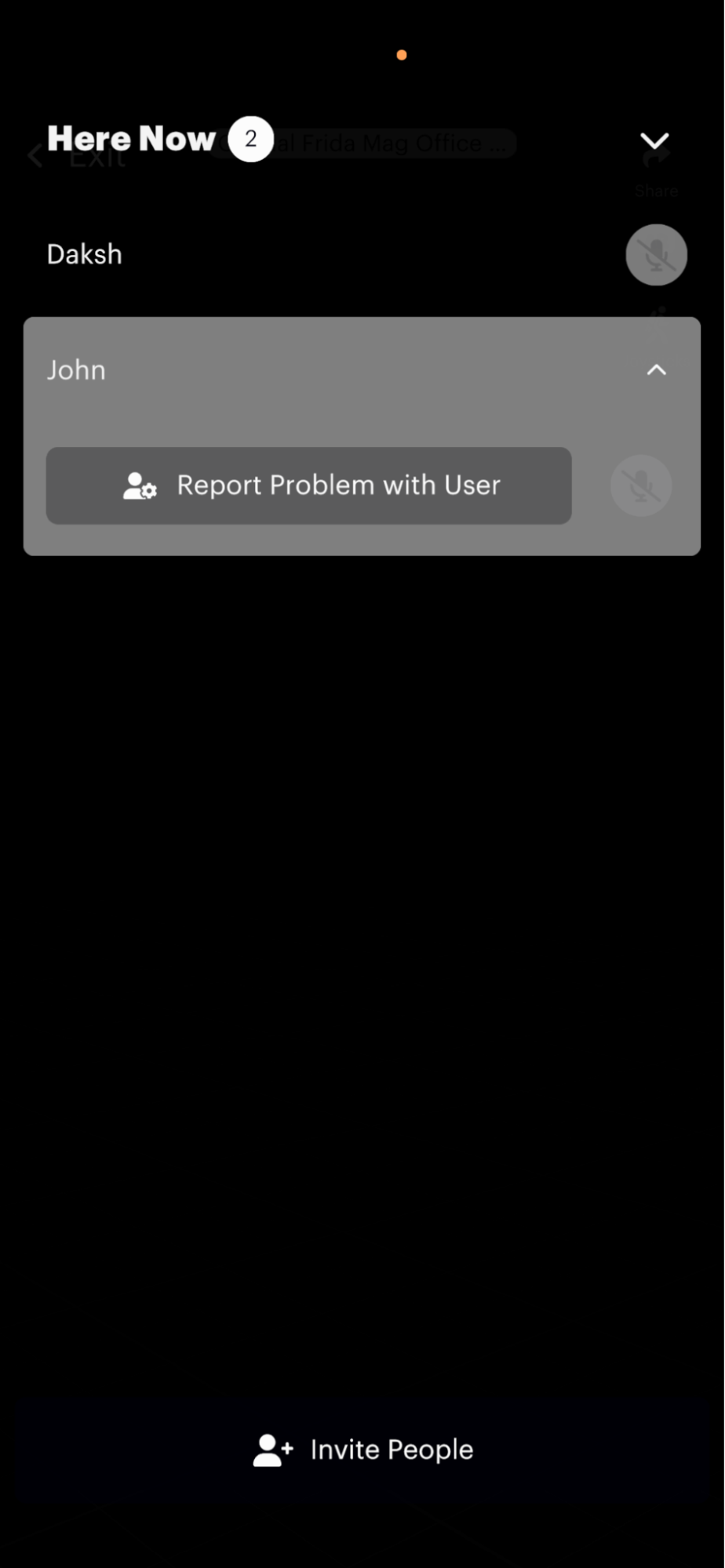
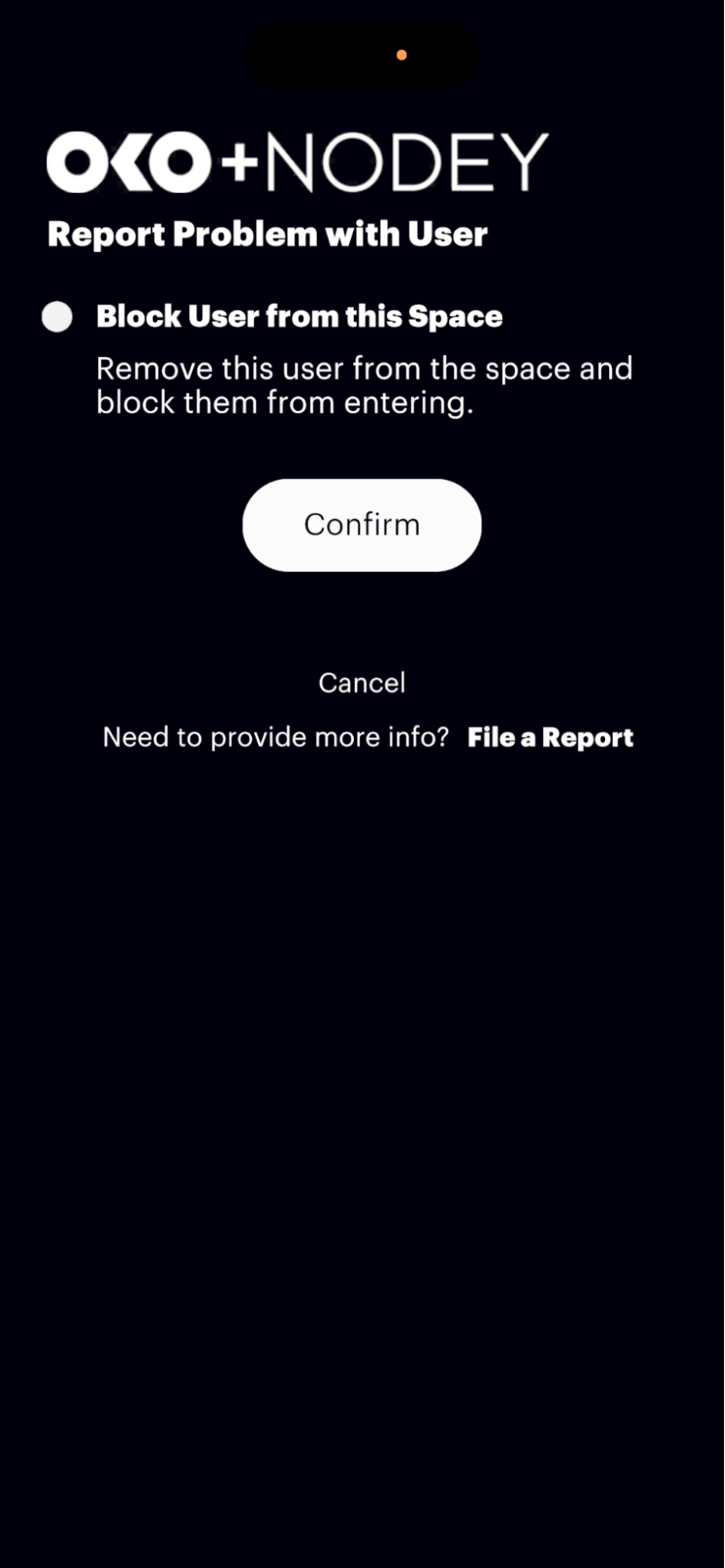
You can unblock users from your account settings on both Web and the app.
Storage and usage limits
How many spaces can I create?
You can create up to three spaces, each with a 10GB limit, for free. After that, there will be a cost. We’re currently working on pricing tiers and will update this page soon!
How many people can enter the space at the same time?
With a free subscription, you can have five concurrent users in a space (excluding yourself).
How can I communicate with others in OKO?
With a free subscription, you get text chat. With a paid subscription, you get text chat, video, and VOIP.
Get in touch
Where can I report bugs?
If you spot a bug, have an account question, experience a service outage, or want to request a feature, please fill out this form:
https://support.oko.live/