
Version 1.0.0 (117785) - CSP 4.18.0
This article will guide you through the installation process of the OKO Unreal plugin. We will show you where to download it and how to install it in your version of the Unreal Editor.
Instructions
To download the OKO Unreal Plugin go to https://app.oko.live/downloads and click on the Unreal Engine button:
Before extracting the contents of the zip, head to Unreal and open a new project.
Once you have created the project, go ahead and close it. You should now see a folder for that project in your file explorer.
Open your Unreal project folder and under the main directory create a new folder called “Plugins” (if not already present). Inside “Plugins”, create a new folder called “OKO”.
Access your downloads folder and extract all from the zip to the new “OKO” folder.
Open the Unreal project once more, go to Edit > Plugins and make sure the OKO plugin is enabled.
You should now see an OKO menu option appear with an option to Sign In as shown below:
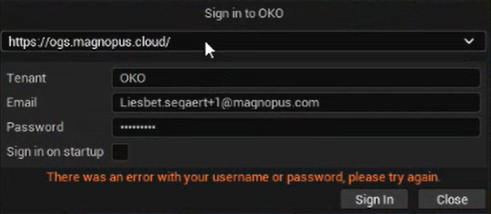
If this error shows:
.png?cb=af881a022fc5f3bd4fff2dd13ef4ccfe)
Select https://ogs.magnopus.cloud/ from the dropdown at the top of the dialogue box and click sign in.
You have successfully installed the OKO Unreal plugin.