
Video Components
OKO Web 4.6.1 | OKO Unreal 4.8.2 | CSP 6.36.0
The Video Component represents a surface in the space where a video asset, URL, or live-streamed video can render.
This page details properties specific to the component. For general component properties, find more information here.
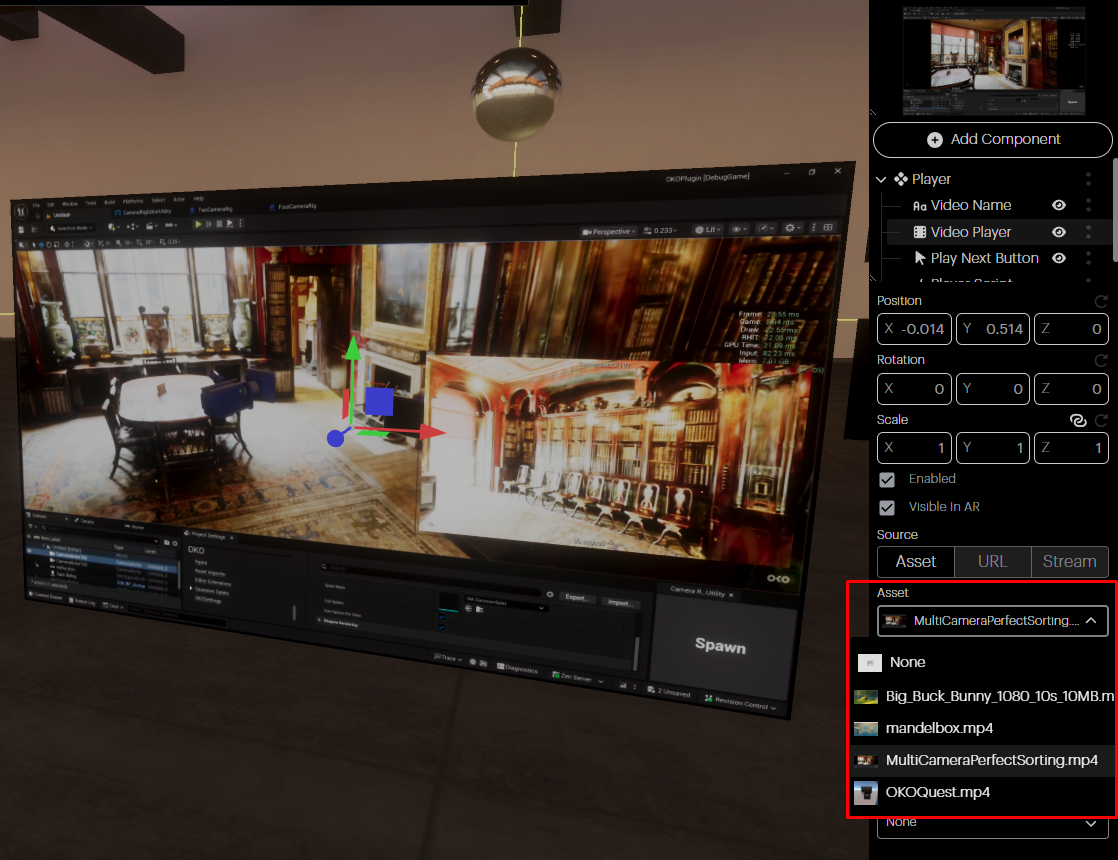
Asset: If you have previously uploaded an mp4 video to your Asset Library, you can assign it to the Component by selecting Asset and then using the dropdown to select the file.
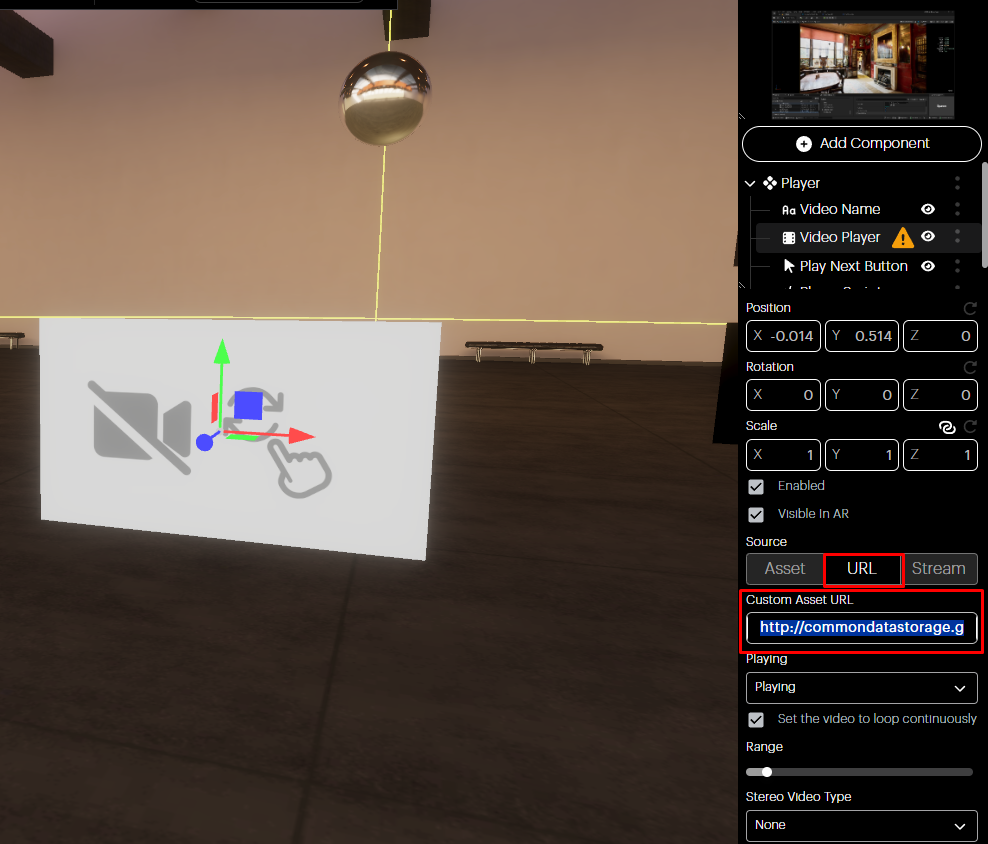
URL: Optionally, instead of uploading a Video Asset, you can assign the URL of an online video source that you would like to play. OKO does not currently support YouTube or Vimeo URL sources.
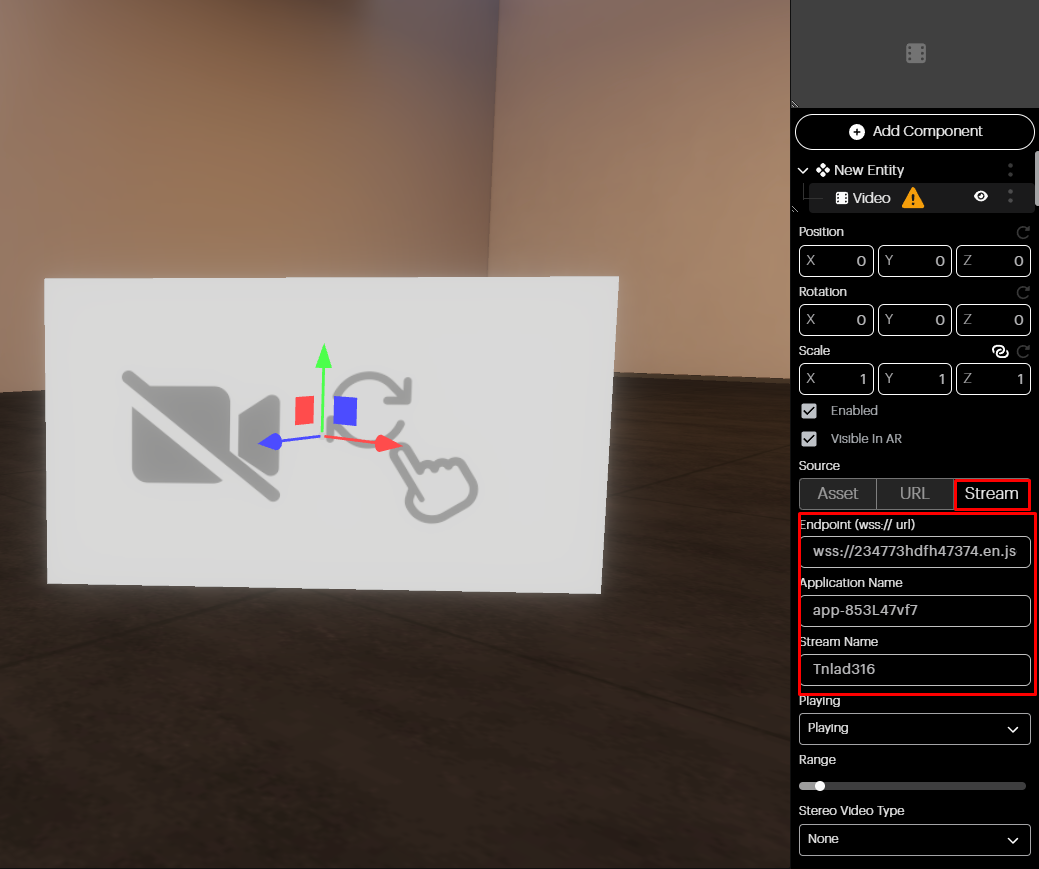
Stream: You may also wish to bind the Video Component to a live video stream. Set the endpoint to your WebRTC URL, provide the Application Name and Stream Name and your video will begin streaming in the space.
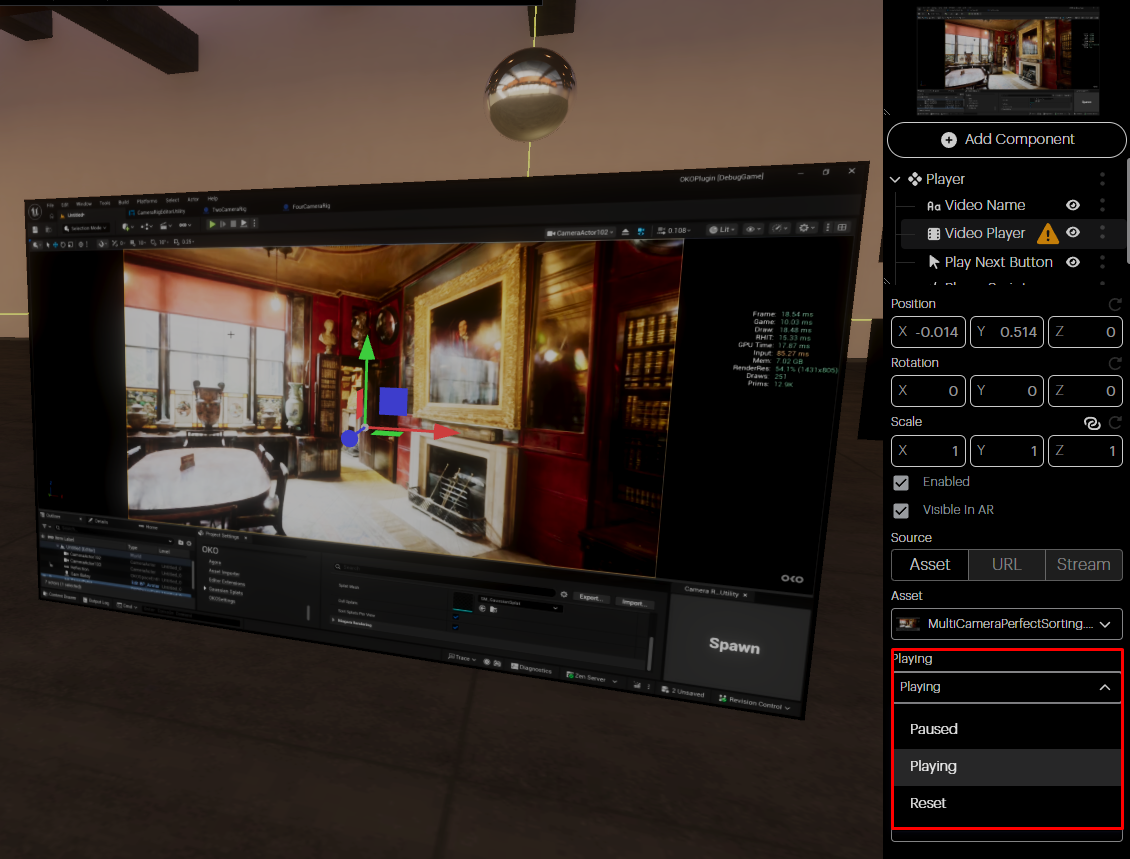
Playing: Set the playback state of your video.
Playing: The video will start playing. If the state was previously paused, the video will continue from there. If it was previously in the reset state, the video will start playing from the beginning.
Pause: Video playback will be paused at the current timeline position.
Reset: The video is returned to the beginning of the timeline, and playback is paused.
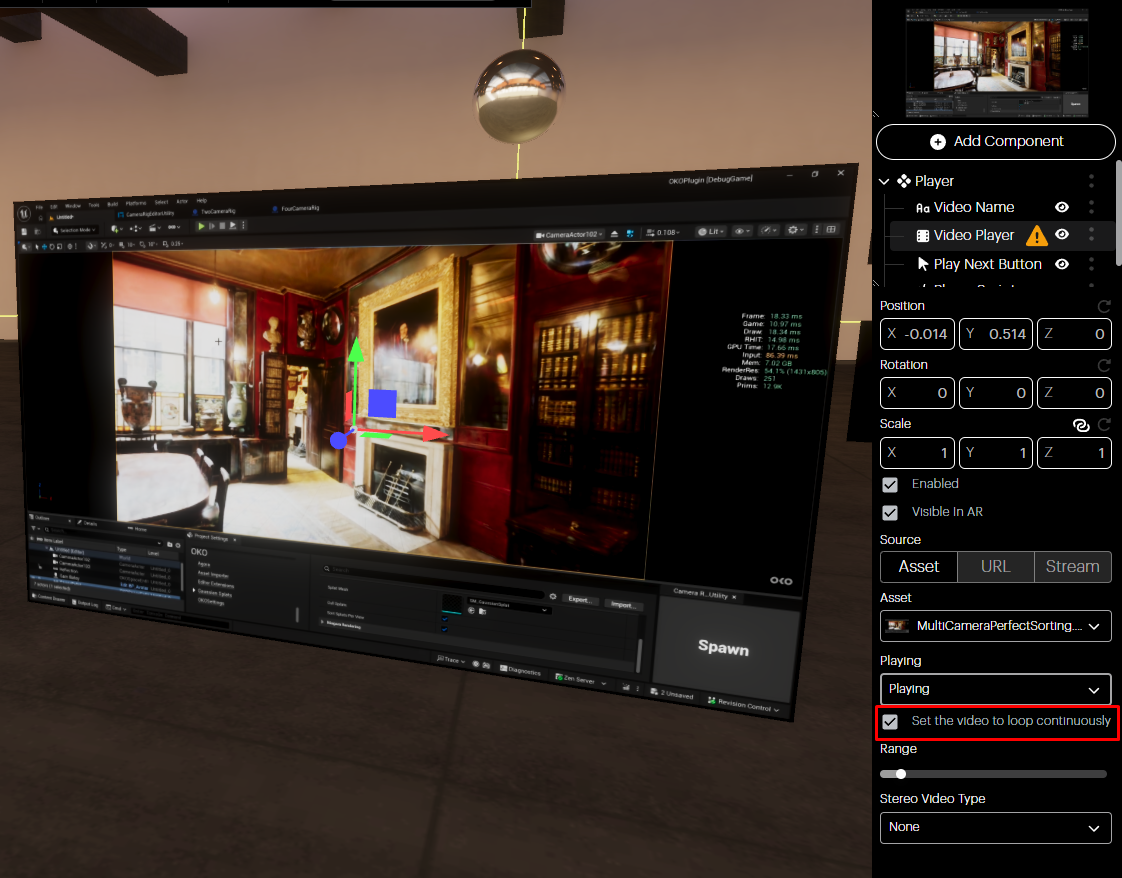
Set the video to loop continuously: Here, you can set your video to loop.
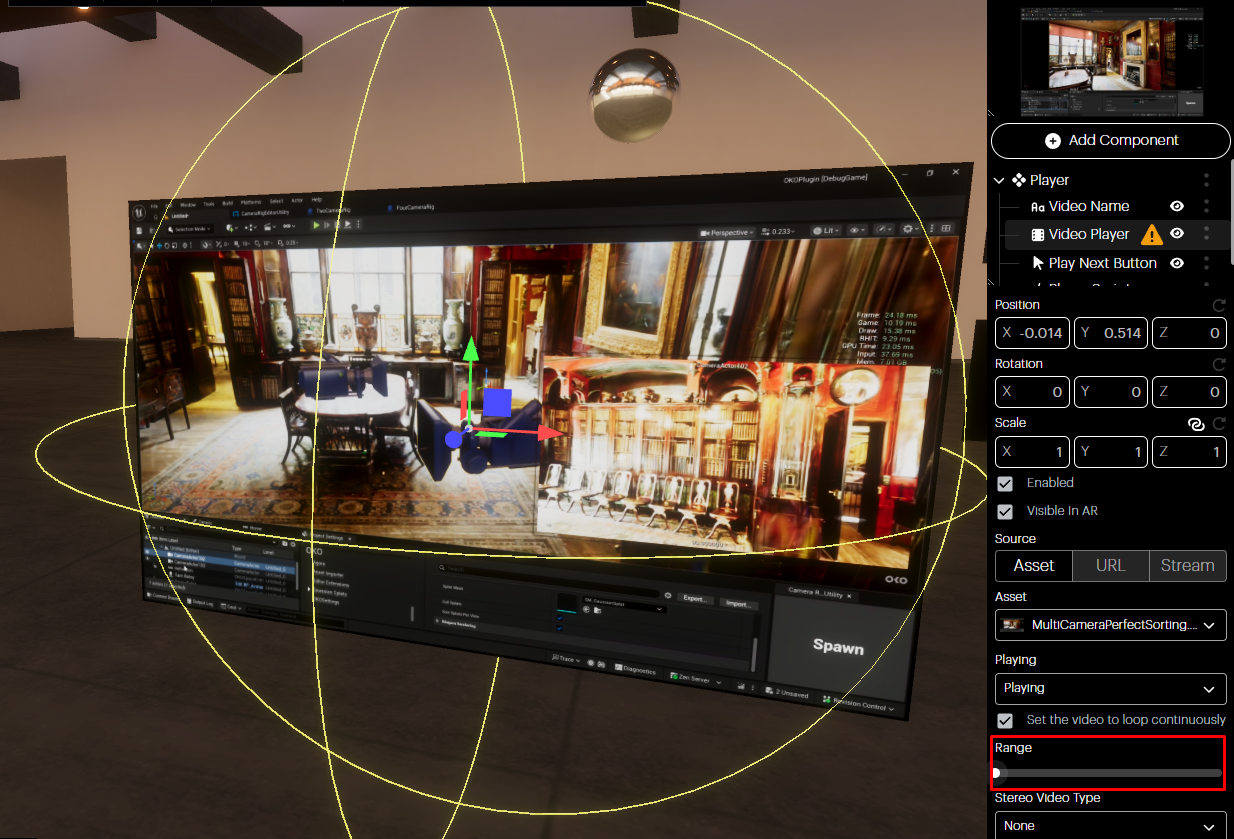
Range: This slider controls the range for spatial audio playback. Audio will only be heard when you are within this range of the component.