
Collider Components
OKO Web 4.6.1 | OKO Unreal 4.8.2 | CSP 6.36.0
The Collider Component can be used to represent collision volumes within a space, blocking other collision geometry and volumes in the space from penetrating it.
This page details properties specific to the component. For general component properties, find more information here.
Using OKO Web
Colliders are commonly associated with 3D models, so for this tutorial, let’s begin with an Entity that also has a Static Model Component with an Associated Asset.
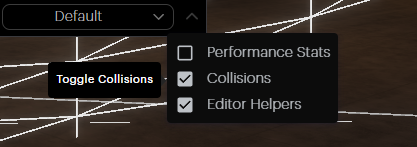

You can visualize collision meshes by enabling the Collision toggle under the viewport Additional Options menu.
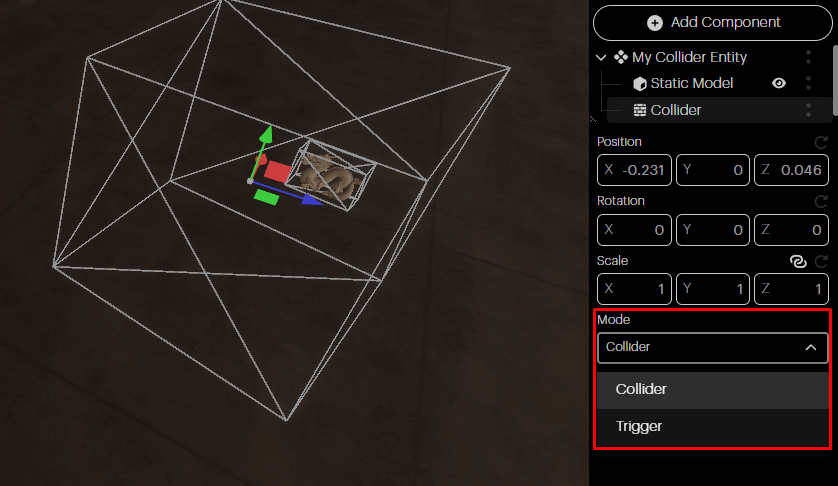
Mode: You can use the Bounding Box you just created as either a Collider (default) or a Trigger.
Collider: Prevents users and other collision geometry from moving through it.
Trigger: Has no collision, emits events on intersection, which scripts can respond to.
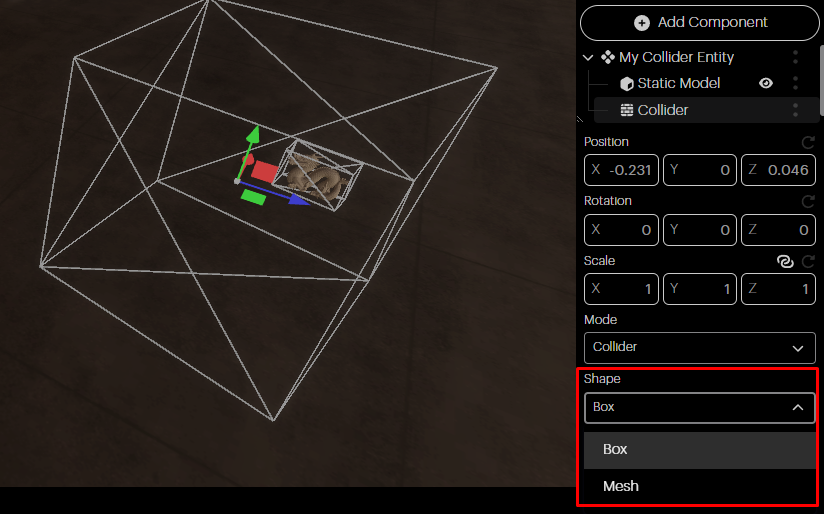
Shape: You can set the shape of your Collider to be either a box (default) or a specific mesh.
Box: The Collider will be a cube that can then be positioned, rotated, and scaled.
Mesh: You can reference a specific mesh asset to use as the collider geometry.